Install
ACARS Client
After downloading the installer, extract it and run it. It will install into:
%LocalAppData%\vmsacars\current
Desktop and start menu shortcuts will be created, and the program will be registered.
Simulator Configuration
- MSFS 2020/2024
- X-Plane
- Prepar3d/FSX
WASM Module
If you're using Microsoft Flight Simulator, to read the LVars from the sim you
need the FSUIPC WASM Module (Version) from FSUIPC ,
fsuipc-lvar-module folder needs to be manually placed in your community
folder.

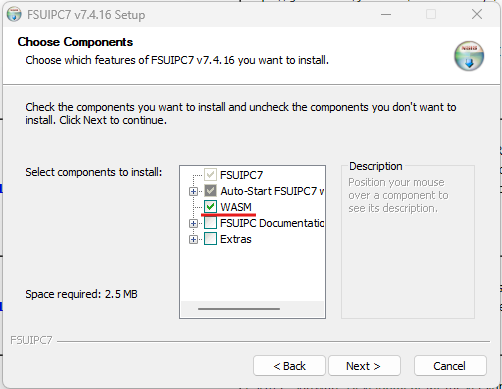
Also, it is possible to install the WASM Module with FSUIPC main installer. While installing or updating it, be sure you have the WASM Module option enabled.
Permission Denied Errors
If you're getting a permission-denied error, see this thread
X-Plane uses a custom plugin. Open the X-Plane folder, and copy the
AcarsConnect folder into your Resources\plugins folder.

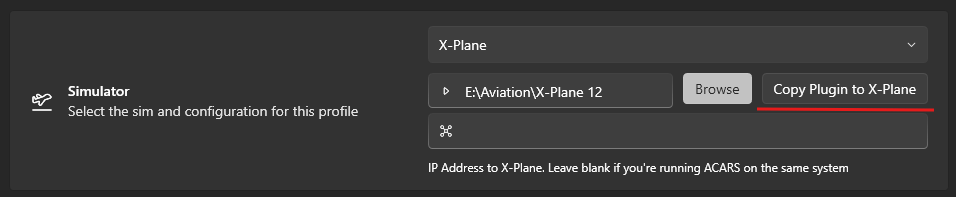
Also it is possible to copy the plugin automatically from vmsAcars settings, be
sure X-Plane is not running and click the Copy Plugin To X-Plane button after
selecting your X-Plane root/main folder.
To use FSX/Prepar3d, you need to install:
After installing both, run MakeRwys. MakeRwys also needs to be re-run
whenever there are scenery changes (if you want gates/runways to be updated).
ACARS will automatically detected changes to the MakeRwys files, and will
update its internal database accordingly.
Hardware Configuration
If you're using hardware to control the sim, ACARS heavily relies on several
offsets with FSUIPC, particularly the parking brake. Ensure that the offset
0x0BC8 gets set